"NEON" is A2O LITE's debut single, and it reached No. 1 on the Melon Top 100 just one day after its October 13 release. The duo intro quickly took off on TikTok, Reels and Shorts.
Learning the choreography and filming it without a mistake can take hours. With the A2O LITE NEON AI Dance Generator, all you need to do is upload two photos. The AI turns them into a 15-second duo version of the NEON intro. You don't have to practice or write a prompt.
Here's an example. These two photos went in, and with the White background, this is the video that came out:
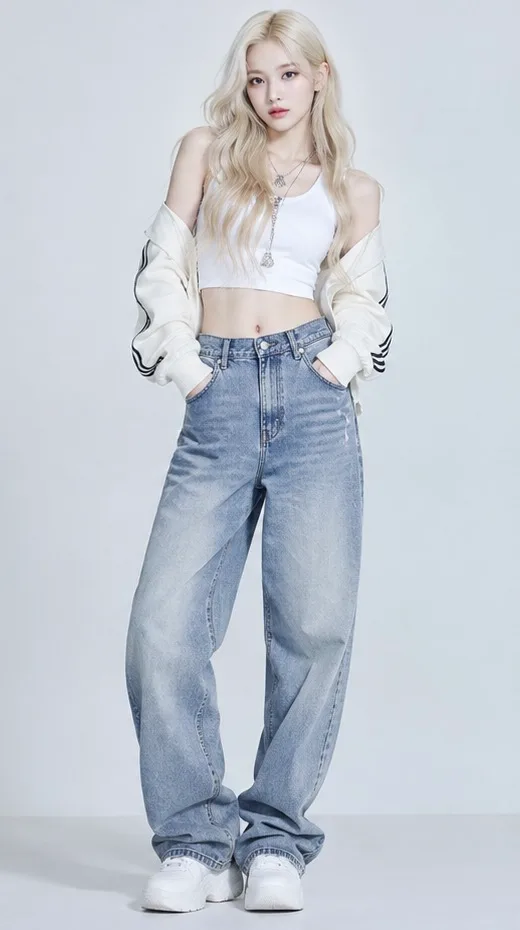
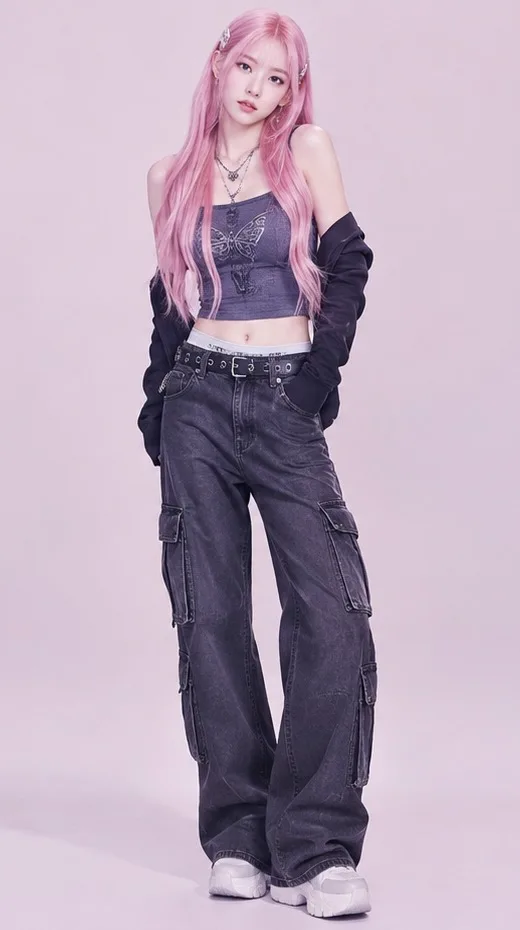
Here's how to make your own.
What you need
- Two photos, one for each dancer
- A few credits (10 for 480p, 20 for 720p)
- A background idea, if you want something other than the built-in ones
That's it. You don't need editing software or a subscription.
How to make an A2O LITE NEON AI dance video
Step 1: Upload two photos
The generator has two slots, left and right. Each photo becomes one dancer.
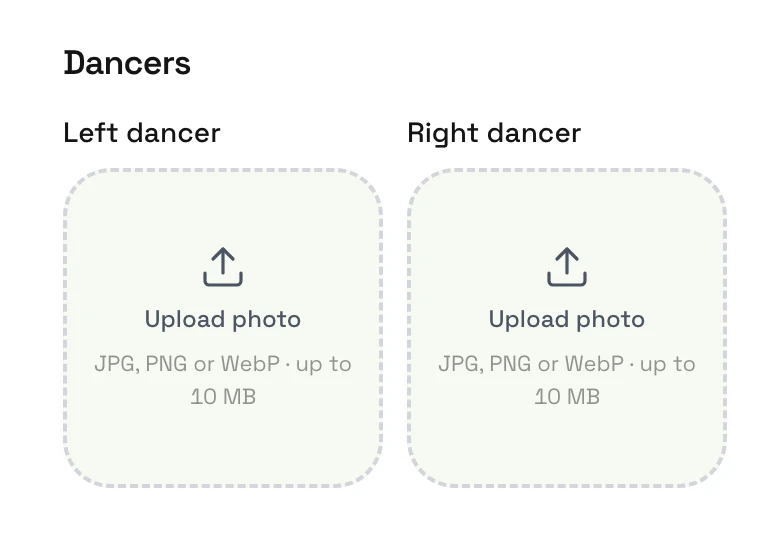
For the best results, use a clear, full-body photo. The AI also uses the outfit in the photo, so pick one you'd like to see in the video. You'll find more photo tips below.
Technical details:
- Formats: JPG, PNG or WebP
- Size: up to 10MB per file
- Resolution: at least 340 pixels on each side
Photo permissions: You can use your own photos, or a friend's photo with their consent. Photos of children require a parent's or guardian's permission. Photos of celebrities are not allowed.
You can also use a photo of your pet. Just make sure its whole body is clearly visible.
Step 2: Pick a background
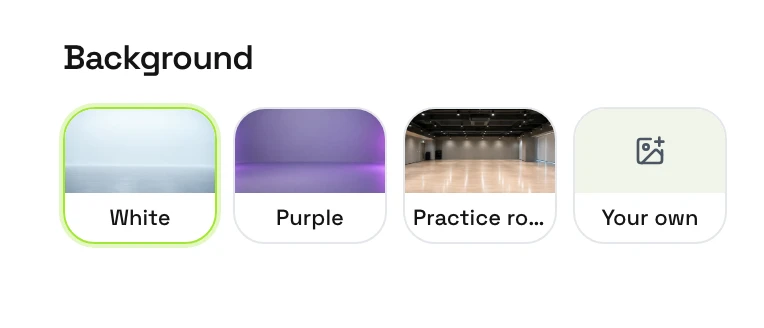
There are three built-in options:
- White: clean and simple, so the dancers stand out
- Purple: closer to the neon mood of the original
- Practice room: looks like a dance practice video
If you'd like a different setting, choose Your own and upload a background photo, such as a concert stage, a neon-lit street at night, or a rooftop.
Step 3: Choose the quality
- 480p (10 credits) is a good way to see how the video comes out.
- 720p (20 credits) looks better on screen. Choose it when you plan to post.
Credits are sold in one-time packs, with no subscription required. They never expire, so you can save any extras for your next video. Choose a pack to get started.
Step 4: Generate
Press Generate, and the AI will create your NEON dance video from the two photos and the background you chose. There's no prompt to write and no complicated video editor to learn.
Step 5: Download and share
When the video is ready, it appears under Your video. Press Download to save the MP4.
You can then share it on TikTok, Instagram Reels, or YouTube Shorts. We recommend turning on the platform's AI-generated content label when you post.
Tips for a better video
- Use a full-body photo. Head to toe in the frame works best, since the AI needs to see the whole body to make it dance.
- Stand facing the camera. A front-facing photo with arms relaxed is easier for the AI to work with than a side view or a sitting pose.
- Keep the face clear. Avoid sunglasses, masks, or hair covering the face.
- Use good, even light. A sharp photo taken in daylight or a bright room usually works better than a dark or blurry one.
- One person per photo. If there are other people in the shot, the AI may not know who should dance.
- Skip heavy filters. Beauty filters and strong color effects can change how the dancer looks in the video.
FAQ
Do I need to learn the NEON dance?
No. The choreography is already built in, and the AI creates the dance from your photos. All you need to do is upload two photos.
Can I make a video with just one photo?
No. NEON is a duo dance, so the generator needs two photos, one for each dancer.
Which photo becomes which dancer?
The photo on the left becomes the dancer on the left, and the photo on the right becomes the dancer on the right. The video opens with a solo close-up of the right-hand dancer, so put whoever you want in the spotlight there.
How long is the video, and what format is it?
Each video is 15 seconds long, in 16:9 landscape, and downloads as an MP4 file.
Can I make it on my phone?
Yes. Open the site in your phone's browser, on iPhone or Android, and follow the same steps.
Can I share the video on social media?
Yes, the video you download is yours to share. We recommend turning on the platform's AI-generated content label when you post.
What happens if the video fails to generate?
Your credits are refunded automatically. If they don't come back, email support@neonaidance.com and we'll sort it out as soon as we can.
Is this an official A2O LITE tool?
No. Neon AI Dance is an independent fan-made tool. It is not affiliated with, endorsed by, or sponsored by A2O Entertainment, A2O LITE, or its members.
Make your NEON dance video now
The trend is happening right now. Pick two photos, open the A2O LITE NEON AI Dance Generator and get your duo dancing.